


Lists: from simple bullets to complex items
Lists are more than text lines prefixed with markers. A parser must determine where a list begins, which blocks belong to an item, and how sublists nest. These are common points of disagreement when content moves between editors.
The following nine specimens cover unordered and ordered lists, starting values, nesting, tight and loose forms, multipart items, tasks, definitions, and specialized numbering. Each is deliberately small enough to make the effect of changing a space or marker understandable. S02, S06
Example 11: Unordered lists
CommonMark
A hyphen, asterisk, or plus sign followed by a space starts an unordered list item. The chosen character does not reliably determine the graphic bullet shape; layout does.
SOURCE
- Source manuscript
- Copy editing
- Final publication

Alternative markers:

* HTML edition
* EPUB edition

+ Print edition
+ Audio edition
RENDERED RESULT
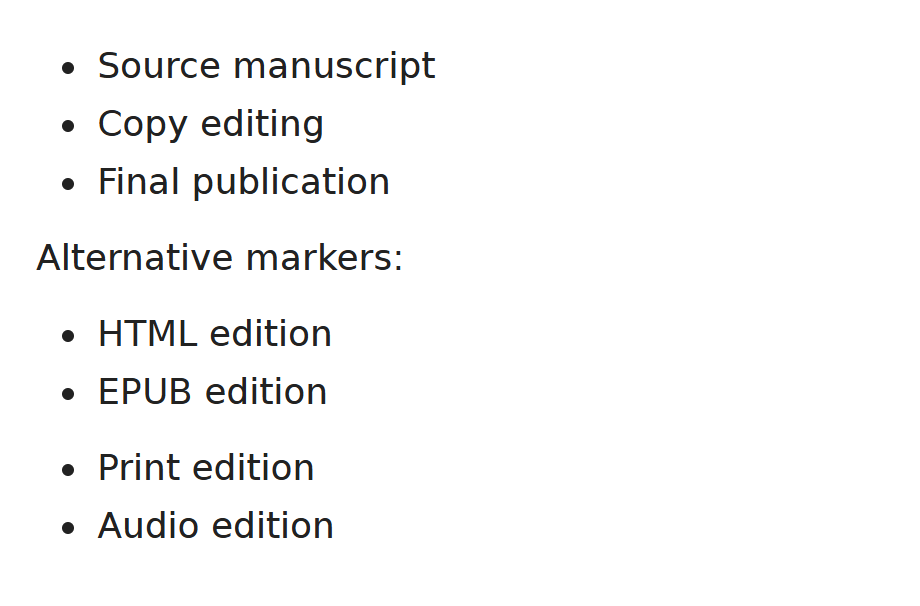
Use the same marker throughout one list. Switching from * to + starts a new list in the parser shown here, even when both parts look similar. The first list has three entries and the other two have two each. Additional paragraphs explain the alternatives and are not list items. Without a separating space, as in -Source, the sequence is not an ordinary list marker.
Example 12: Numbering and starting value
CommonMark
The first number determines the starting value of an ordered list. Subsequent items are numbered sequentially in the output. Every source item may therefore begin with 1. while the result displays 1, 2, and 3. This makes rearranging procedural steps easier.
SOURCE
1. Open the manuscript.
1. Check the references.
1. Publish the result.

Continue a separate procedure:

4. Archive the files.
5. Record the release.
RENDERED RESULT
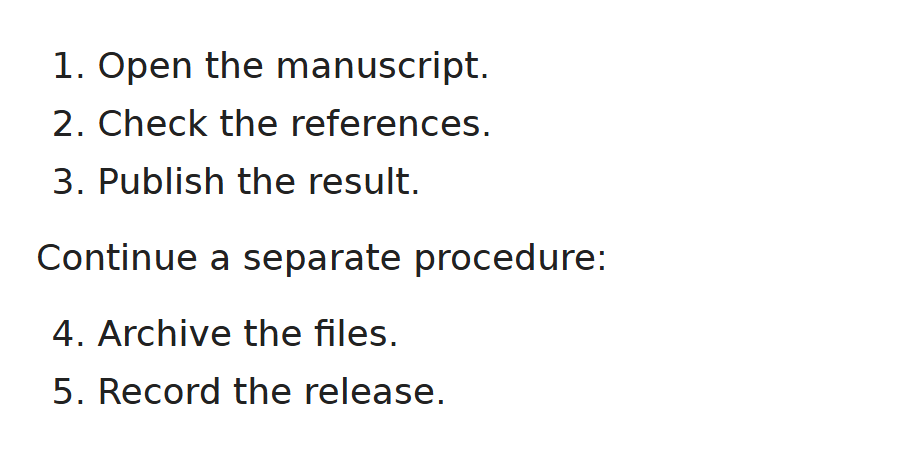
The second list deliberately starts at 4. It is not logically connected to the first one, however. Adding an earlier item will not automatically update this starting value. A counter continuing across separate lists requires an additional convention or processing rule.
Example 13: Nested and mixed lists
CommonMark
Indentation attaches a sublist to its parent item. This example combines an ordered main list, an unordered sublist, and another ordered list. It represents a real tree rather than merely indented paragraphs.
SOURCE
1. Prepare the publication.
    - Check the text.
    - Check the assets.
        1. Verify image rights.
        2. Add alternative text.
2. Release the approved edition.
RENDERED RESULT
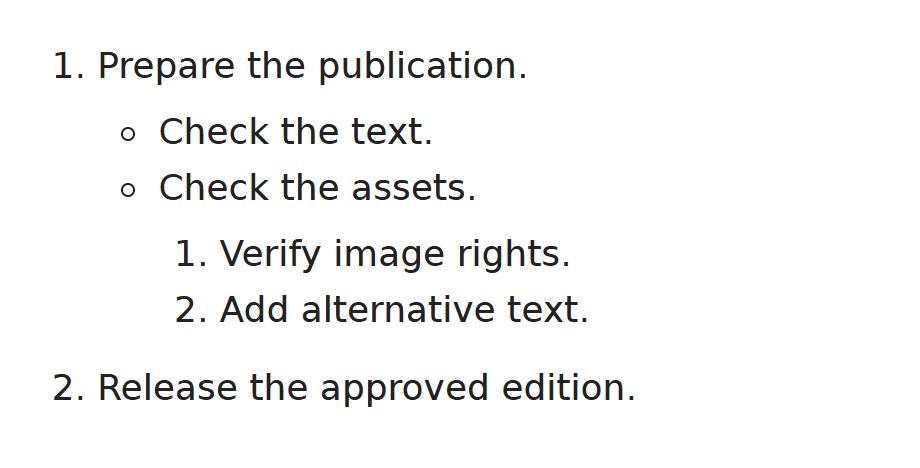
The four additional spaces per level used here are a readable convention for these short markers. The general CommonMark rule also accounts for marker width and the space following it. Multidigit starting numbers and continuation blocks therefore require attention to the actual content column. Tabs introduce avoidable uncertainty into editorial sources.
Example 14: Tight and loose lists
CommonMark
A list without blank lines between items is generally tight. Blank lines can make it loose. The distinction is visible in the HTML structure: a loose list wraps item text in paragraph elements inside list items.
SOURCE
- A compact item
- Another compact item

A separate list with paragraphs:

- A spacious item

- Another spacious item
RENDERED RESULT
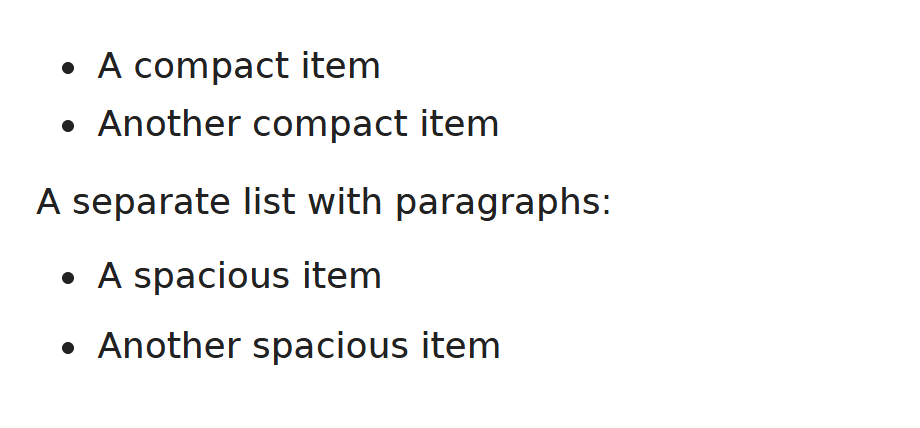
Visible spacing also depends on CSS, so a preview can almost hide the structural difference. Do not insert blank lines merely to add a little visual space. They influence the parse tree and, consequently, downstream processing.
Example 15: Multiple blocks inside a list item
CommonMark
One list item may contain several paragraphs and a code block. Indentation of continuation blocks is decisive. Here they begin under the text following 1. and therefore remain inside the first item. The second main step follows only after the code block.
SOURCE
1. Inspect the source.

   Keep this explanation inside the first item.

   ```xml
   <status>approved</status>
   ```

2. Save the approved file.
RENDERED RESULT
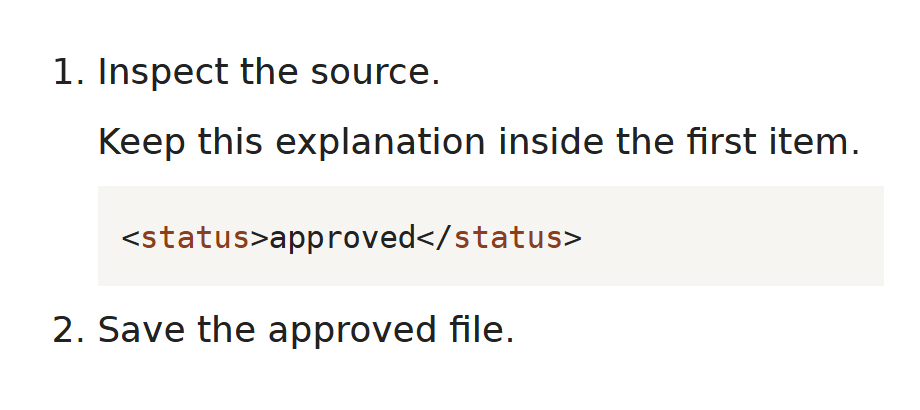
Removing the indentation may end the list too early. Excess indentation can create an unintended code block instead. This matters in technical procedures: a specimen that appears beneath a step should also belong to that step in the document tree.
Example 16: Task lists
GFM, formal profile
Square brackets containing a space or x follow the list marker. The generated HTML displays checkboxes for open and completed tasks. The space after the closing bracket is part of the notation.
SOURCE
- [x] Manuscript checked
- [x] Figures approved
- [ ] EPUB validation completed
RENDERED RESULT

The preview is a document, not a task management application: its checkboxes are disabled. Whether clicking a box changes Markdown source or a database status depends on the platform. A task list also does not define an assessment with scores, permitted answers, and grading logic. Such semantics require their own model.
Example 17: Definition lists with multiple paragraphs
Pandoc Markdown
In Pandoc, a term is followed by a definition beginning with a colon and a space. Several terms or definitions are possible. The additional indented paragraph remains inside the second definition here. HTML uses a definition list with dt and dd, not a table.
SOURCE
Manuscript
: The source text before final publication.

Edition
: A particular published form of a work.

    This edition includes revised figures.
RENDERED RESULT
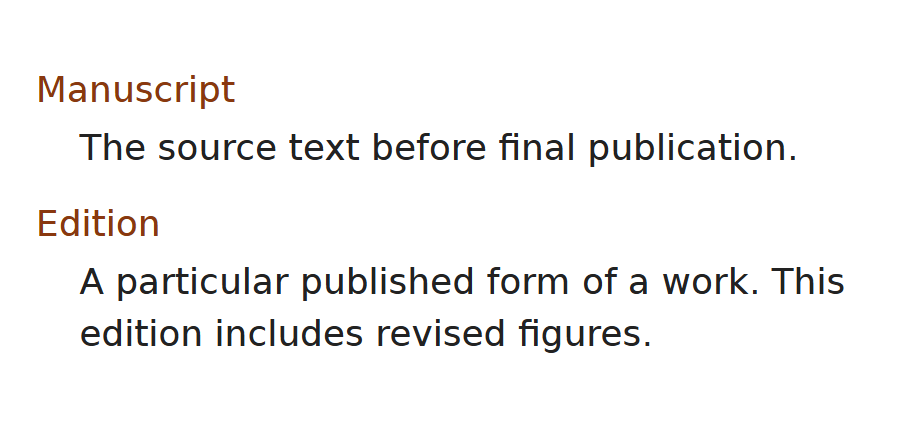
This is useful for a small glossary. It does not automatically create a terminology model with preferred labels, synonyms, languages, sources, status, and stable concept identifiers. Nor does the colon trigger alphabetical sorting or an index.
Example 18: Alphabetic and Roman numbering
Pandoc Markdown
Pandoc's fancy_lists extension recognizes alphabetic and Roman markers in addition to Arabic numbers. The example produces two ordered lists with different numbering styles. The CommonMark profile does not interpret these notations as such lists.
SOURCE
a. Editorial review
b. Technical review

Another sequence:

i. Source files
ii. Generated files
RENDERED RESULT
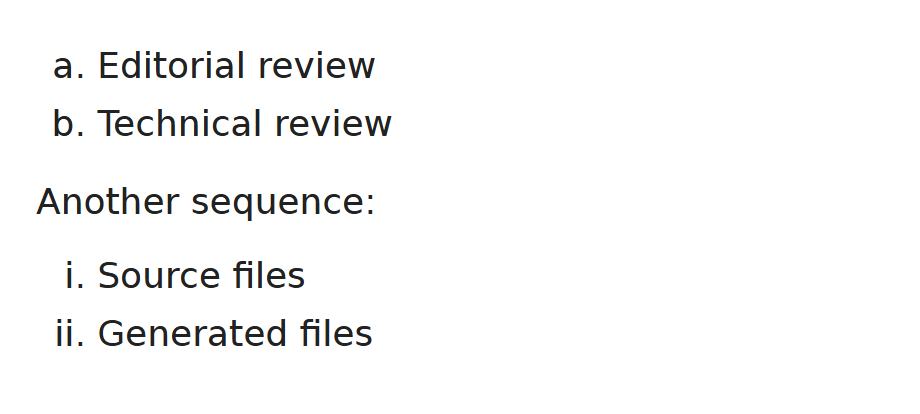
Exact presentation can depend on the target format. A printed list with Roman numerals is different from storing those numerals as literal text. Stable references to procedural steps are better based on explicit identifiers than on the currently visible item number.
Example 19: Sequential example numbers
Pandoc Markdown
Pandoc's example_lists extension provides another, less familiar list form. Numbers can continue across the document. A named marker such as (@review) allows a reference to the corresponding example item. This differs from an ordinary list whose starting value is set manually.
SOURCE
RENDERED RESULT
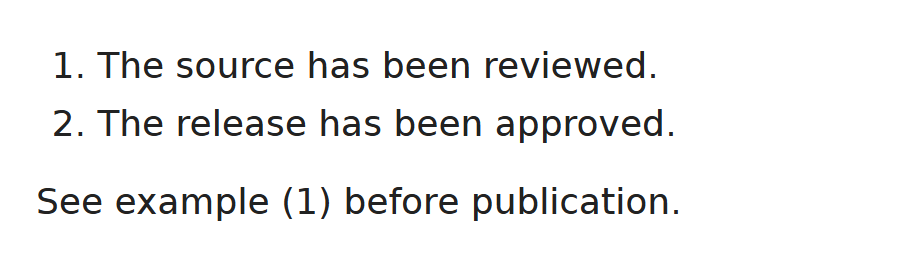
These references are not a general mechanism for figure, table, or section numbering. In other contexts, a name after @ can be interpreted as a citation. This limited special syntax should therefore not be described as a universal cross-reference system.
An editorial rule saying only "lists are allowed" is insufficient. Consistent indentation, a preferred marker, and clear continuation-paragraph rules are useful. Technical checks should inspect item counts and nesting. This catches an accidentally detached paragraph even when the preview still places it approximately where expected.