


Text and document structure, step by step
Markdown distinguishes block structures from inline markup. A paragraph or quotation is a block; emphasis or a code span occurs inside one. Blank lines, indentation, and characters at the beginning of a line can therefore affect structure. Looking only at visible typography misses a substantial part of the syntax.
The first specimens demonstrate CommonMark core. Explicitly labeled Pandoc extensions follow. Six heading ranks are demonstrated as a language feature, not used to structure this guide. The articles themselves contain main chapters only. S02, S05
Example 01: Six available heading ranks
CommonMark
The number of hash characters determines the heading rank. A space separates the marker from the text. A single # therefore means a rank-one heading, not simply a request for large type. The editorial structure of this guide uses only that rank. Other ranks occur exclusively in this syntax specimen and its isolated preview.
SOURCE
# Publication
## Chapter
### Section
#### Subsection
##### Detail
###### Smallest heading
RENDERED RESULT

#Publication is not a heading in the CommonMark profile tested here, since the space after the hash character is required for the text to be recognized as a heading. Seven hashes do not create a seventh level either, since there are only six defined heading levels in Markdown. The stylesheet determines the actual font size; the rank remains part of the document structure.
Example 02: Setext notation
CommonMark
A line of equals signs beneath the text creates a rank-one heading; a line of hyphens creates a rank-two heading. The underline does not have to match the title length. This notation is readable in plain text but provides only two ranks.
SOURCE
Publication
===========

Editorial scope
---------------
RENDERED RESULT

A hyphen line immediately below a paragraph can act as a Setext marker instead of a thematic break. A blank line between the paragraph and the separator avoids this particular ambiguity. An editorial team should agree on a preferred heading notation.
Example 03: Paragraphs and three kinds of line ending
CommonMark
A blank line ends a paragraph. A single source newline inside a paragraph is a soft break. In the HTML result shown here, the first two source lines therefore form one continuous paragraph. Wrapping at the right margin is a layout decision.
SOURCE
This source line
continues the same paragraph.

This line ends with two spaces.
This line follows a hard break.

This line ends with a backslash.\
This line also follows a hard break.
RENDERED RESULT
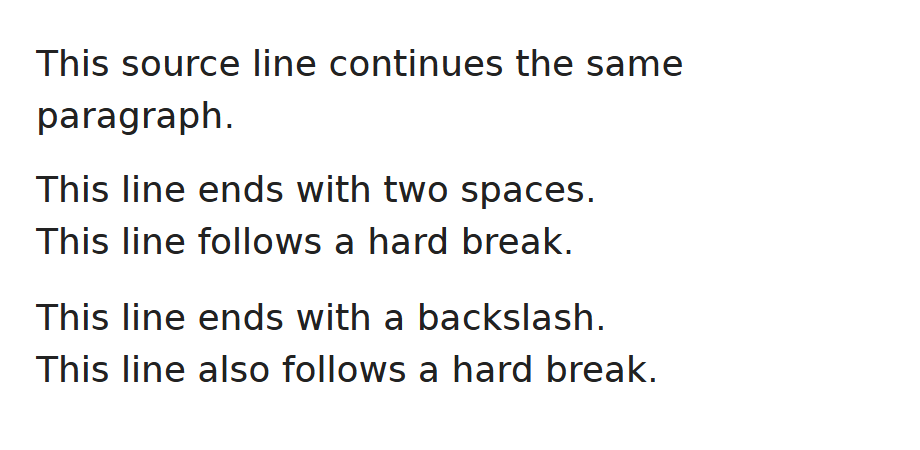
Two spaces immediately before the newline create a hard break. The source file really contains them, even though they are difficult to see. A backslash before the newline is the more visible alternative. Editor functions that remove trailing whitespace can silently break the two-space form. A blank line is nevertheless different from a hard line break.
Example 04: Emphasis with asterisks and underscores
CommonMark
One pair of asterisks marks emphasis, two pairs mark strong emphasis, and three can combine both. Underscores are alternative delimiters. Markers must adjoin the emphasized text: * important * does not have the same meaning.
SOURCE
This is *important* and this is **essential**.
This is ***especially important***.

This is _emphasis_ and this is __strong emphasis__.
The identifier `source_file_name` remains literal.
RENDERED RESULT
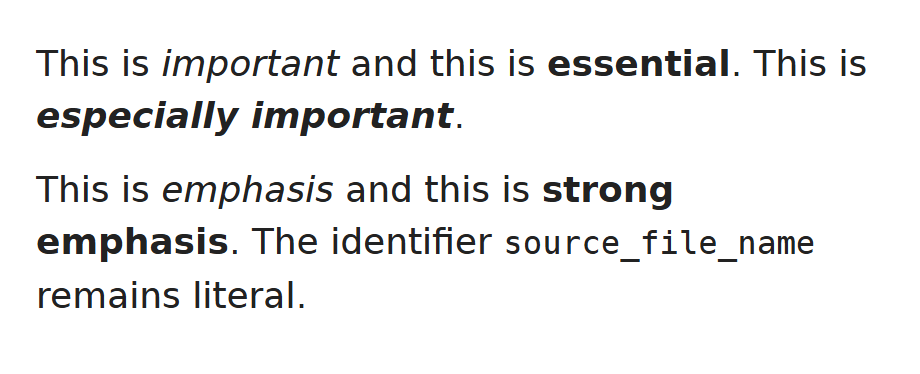
The result uses italic and bold type respectively. The semantic distinction remains generic; it does not identify a product name, definition, or warning. A code span is usually clearer for technical identifiers. Underscores inside the filename shown here are treated as data rather than markup.
Example 05: Syntax characters, entities and nonbreaking space
CommonMark
A backslash can protect punctuation that would otherwise trigger Markdown syntax. The example displays literal asterisks, brackets, and a hash at the start of a paragraph. HTML character references are also interpreted outside code. < and > become visible angle brackets.
SOURCE
\*Literal stars\* and \[literal brackets\].

\# This is not a heading.

Use <article>, AT&T and 10 kg.
RENDERED RESULT
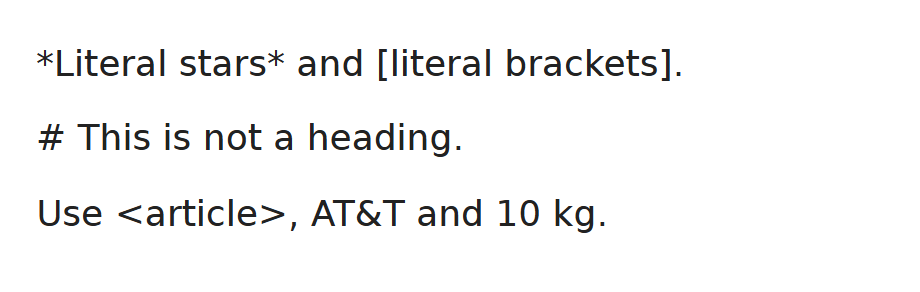
inserts a nonbreaking space between the number and unit. This is local line-break control, not protection for an entire table. Inside code spans and code blocks, these sequences remain literal. An XML specimen should therefore be marked as code instead of manually replacing every angle bracket.
Example 06: Inline code and embedded backticks
CommonMark
Backticks enclose short literal fragments. Neither XML tags nor emphasis markers inside them are interpreted as that markup. When the fragment itself contains a backtick, two or more backticks can serve as the outer delimiter. Opening and closing runs must have the same length.
SOURCE
Use `<article id="a1">` in the source.

Write `` `literal backticks` `` inside a code span.

Inside code, `**text**` is not strong emphasis.
RENDERED RESULT
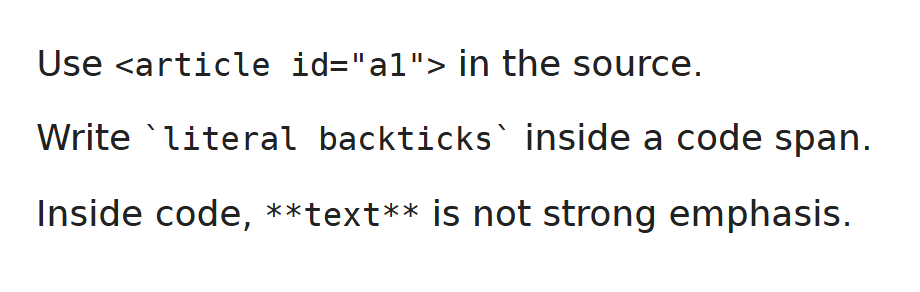
Spaces immediately inside the double delimiters keep the boundaries clear in this specimen. Code spans are not lossless containers for arbitrary whitespace, however: line endings are normalized. Use a code block for files, indentation, and multiline program text.
Example 07: Nested block quotations
CommonMark
The greater-than sign introduces a block quotation. A second marker nests a quotation inside it. Blank lines carrying > keep the paragraphs inside the same quotation. This differs from merely indenting text with spaces.
SOURCE
> The editor requests a revision.
>
> > The reviewer requests a source.
>
> The author adds the source.
RENDERED RESULT
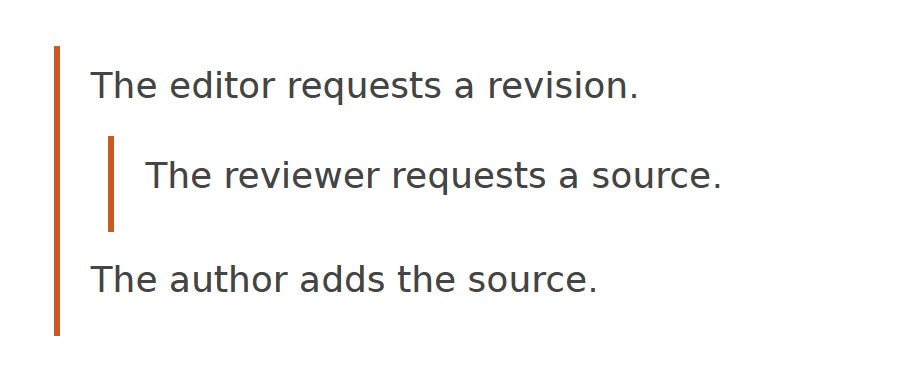
Explicit markers on every quotation line make sources easier to maintain, even where a parser accepts some continuation lines without them. A block quotation does not supply a bibliographic source description. Author, title, and location must be recorded separately, for instance using the citation mechanism demonstrated later.
Example 08: Thematic break and comment
CommonMark
At least three matching asterisks, hyphens, or underscores can represent a thematic break. Asterisks avoid immediate confusion with a Setext underline here. The rule is neither a forced page break nor an identified chapter.
SOURCE
The first editorial topic ends here.

***

The next topic starts here.

<!-- Internal comment: verify the source. -->
RENDERED RESULT
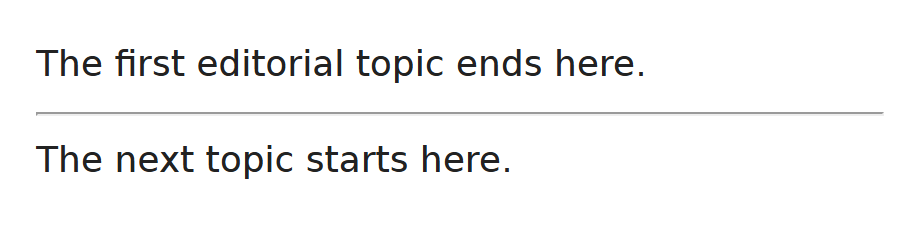
The HTML comment remains in the generated HTML file but is not displayed by the browser. Invisible does not mean confidential: anyone inspecting the source can read it. Remove internal comments before publication. Embedded HTML may disappear in other target formats, which needs a separate check.
Example 09: Extended inline formatting
Pandoc Markdown
Strikethrough belongs to the GFM extensions and is also processed by Pandoc. Superscript and subscript delimited by a caret or tilde are Pandoc syntax, not CommonMark core syntax. Single and double tildes have different jobs here.
SOURCE
The ~~draft~~ final edition contains H~2~O and 2^10^.

[Editorial board]{.smallcaps}

[Check the source]{.underline}
RENDERED RESULT
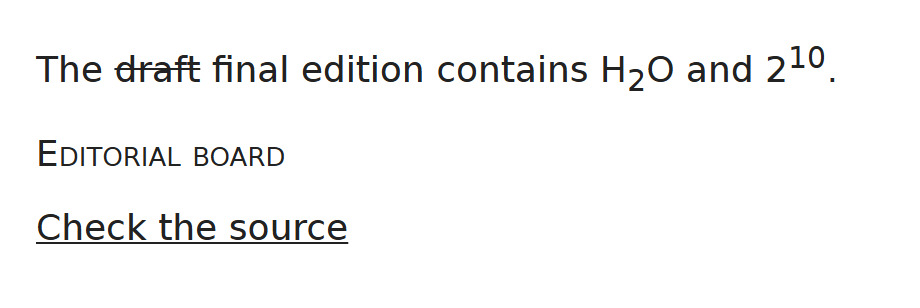
Small capitals and underline are expressed with classified spans. Pandoc gives the smallcaps and underline classes special meaning. This does not imply that any invented class will trigger a special rendering. Tests inspect the HTML elements; typographic equivalence between HTML and Word also depends on fonts and styles.
Example 10: Line blocks for addresses and verse
Pandoc Markdown
A Pandoc line block starts every line with a vertical bar followed by a space. Its rendering preserves line boundaries without making each line a separate paragraph. A mailing address or a short verse is a suitable use case.
SOURCE
| Northlight Publishing
| Editorial Office
| 24 Example Lane
RENDERED RESULT

A line block is not a pipe table: it has neither column separators nor a table delimiter row. CommonMark does not recognize this special block structure. A more interoperable profile can use hard line breaks instead, at the cost of losing the explicit distinction between block types.
These specimens reveal an important production rule: source corrections should respect the document model. Global replacement of asterisks, indentation, or newlines can damage code and move block boundaries. A formatter must therefore match the agreed dialect. Unmodified specimen files in the package allow changes to be tested against the same corpus.