


Tools and a reproducible conversion pipeline
An editor, a parser, and a publishing system have different jobs. Visual Studio Code supports source-oriented editing and previewing. Obsidian combines Markdown files with knowledge-linking features but has its own conventions. A link working there should not be assumed portable without testing. S19, S20
Pandoc is particularly suitable as the primary tool here because its readers, abstract document model, filters, and multiple writers can be inspected separately. Quarto adds a useful layer for scholarly publications with numbered cross-references and project-wide output. MyST extends CommonMark with roles and directives, among other features. Reducing every Markdown publishing requirement to Pandoc alone would therefore be misleading. For this comparison, Pandoc is useful because individual processing stages remain visible and reproducible. S04, S18, S21
This package's actual test run uses Pandoc 3.1.11.1 from the available environment. The release notes consulted online already describe newer versions. S22
Example 50: Commands with an explicit input profile
Shell / Python
The first two commands expose the processor version and available extensions. The third explicitly selects the input profile with --from=gfm and produces an HTML file for the pipe table. Relative paths are interpreted from the extracted package root.
SOURCE
pandoc --version
pandoc --list-extensions=markdown

pandoc examples/fixtures/31.md \
  --from=gfm --to=html5 \
  --output=output/table.html

python scripts/build.py
ACTUAL PROCESSOR OUTPUT
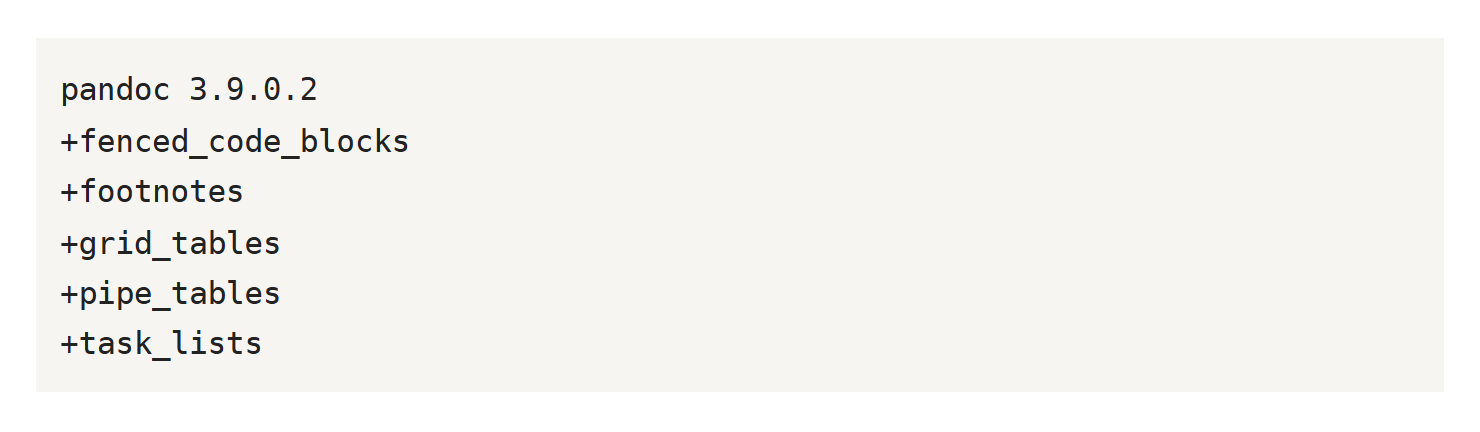
The Python script rebuilds reference outputs and tests. Backslashes continue a command in a POSIX shell; in PowerShell, the individual Pandoc command can instead be written on one line. The Python invocation is unchanged. The adjacent output is a saved excerpt from the actual tool run, not a simulated console.
The reference source is also written to HTML, DOCX, EPUB, and DocBook. This package creates PDF from the DOCX output using LibreOffice. It is therefore not an independent test of a LaTeX PDF writer. The following basic commands run from the package root; the build script adds the profiles, filters, and resource paths needed for complete processing.
pandoc examples/reference.md -f markdown -t html5 \
  --standalone --mathml -o output/reference.html
pandoc examples/reference.md -f markdown -t docx \
  -o output/reference.docx
pandoc examples/reference.md -f markdown -t epub3 \
  -o output/reference.epub
pandoc examples/reference.md -f markdown -t docbook5 \
  --standalone -o output/reference.dbk
Use python scripts/build.py for the actual complete package build. Running the basic commands without companion options is not equivalent: citations, filters, or image paths would be handled incompletely. The report records the arguments actually executed.
Pandoc can also create PDF through suitable external engines. Engine choice depends on layout, mathematics, font requirements, and accessibility. An HTML writer and browser screenshot alone do not establish print-production quality. Opening an EPUB ZIP is not a full EPUB conformance check either.
For the combined DOCX reference, docx-tables.lua additionally normalizes relative table widths. Without this explicit layout step, the inner table was too narrow in the local Word/PDF rendering. The filter changes neither cell contents nor spans; text nodes are compared before and after it runs. The isolated structural tests remain separately traceable.