


Footnotes, citations and mathematics
Many requirements of scientific and technical publishing lie outside CommonMark core but can be implemented with Pandoc extensions. Footnotes, citations, and formulas should not be merged into a single category of "special characters"; they have different structures and processing routes.
Notes are linked content. Citations require bibliographic records and a citation style. Formulas embed a mathematical language in the Markdown text. The package includes original specimen sources, rendered results, and structural checks for all three. S12, S13, S14
Example 39: Named, multiparagraph and inline footnotes
Pandoc Markdown
A reference such as [^review] connects a location in the text with a note definition. The label is internal; output processing assigns the visible number. Four leading spaces keep the second paragraph inside the same note. Pandoc's inline notation ^[...] avoids a separate definition but does not support multiparagraph notes.
SOURCE
The source has been checked.[^review]
A second note is written inline.^[Approved by the editor.]

[^review]: The reviewer checked the references.

    The second paragraph belongs to the same note.
RENDERED RESULT
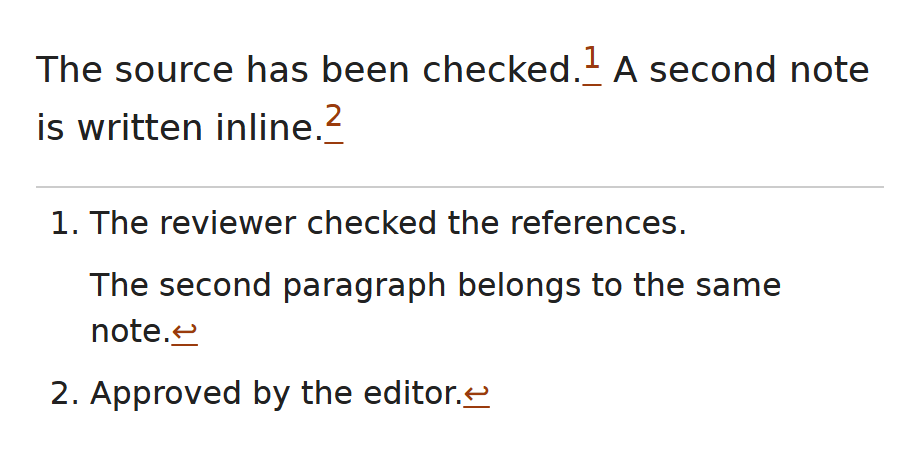
The HTML preview places notes at the end and includes return links. DOCX contains actual Word footnotes. "Footnote" versus "endnote" is therefore not determined by the Markdown marker alone: positioning and note type also depend on the writer and template. The formal GFM specification does not define this syntax; GitHub's website supplies additional features.
Example 40: A note reference inside a table
Pandoc Markdown
A note reference can occur inside a table cell. Its definition is written outside the table here. HTML places it in the document's general note area, not automatically immediately beneath this particular table.
SOURCE
| Edition | Copies |
|:--------|-------:|
| Print   | 250[^estimate] |

[^estimate]: Estimated distribution, not confirmed sales.
RENDERED RESULT
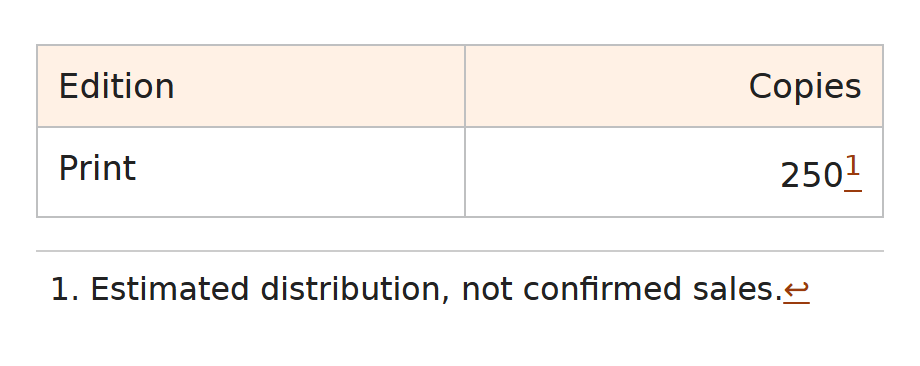
A publisher might instead require table-specific notes using letters, independent counters, or repeated references. This specimen does not meet those requirements. Print output also needs checks for pagination and note placement. Preserving a superscript marker alone does not prove that the complete note relationship survived conversion.
Example 41: Citations with locators and a bibliography
Pandoc Markdown + citeproc / CSL
[@morgan2024] refers to a record in the separate BibTeX file. A locator follows a comma. Omitting the outer brackets allows the author's name to become part of the sentence. A minus sign before @ suppresses the author inside a parenthetical citation. Semicolons separate multiple items.
SOURCE
A structured workflow needs an explicit profile [@morgan2024, p. 12].

@lee2025 discusses editorial testing.

Morgan provides an example [-@morgan2024, p. 18].

Related reading [see @morgan2024; @lee2025].
RENDERED RESULT
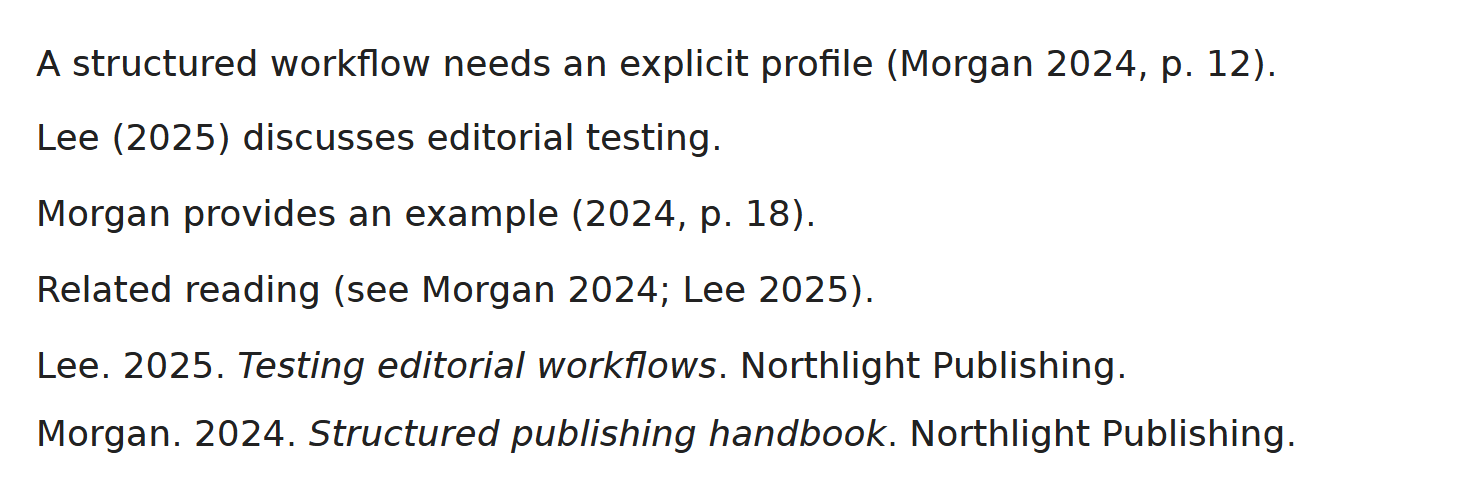
The build uses --citeproc, the supplied bibliography, and a small CSL style included in the package. All bibliographic data in this syntax specimen are fictional test data, not the sources of this guide. Recognizing citation markup alone does not create a correct bibliography without citation processing and bibliographic records.
Example 42: Inline mathematics and a display equation
Pandoc Markdown
A pair of single dollar signs delimits inline mathematics; doubled dollar signs delimit a display equation. The enclosed content uses TeX mathematics. These examples contain an inequality, overbar, fraction, sum, index, exponent, and integral. Escape a literal currency symbol as \$ when needed.
SOURCE
For $n \geq 1$, the mean is $\bar{x}=\frac{1}{n}\sum_{i=1}^{n}x_i$.

$$
\int_0^1 x^2\,dx = \frac{1}{3}
$$
RENDERED RESULT

The build generates MathML for the browser preview, so these formulas do not need a downloaded MathJax script. DOCX uses Office Math structures. MathJax-based HTML is another option but has different runtime dependencies. TeX notation is neither part of CommonMark core nor, by itself, a guarantee of mathematical accessibility.
Example 43: Matrices, roots and piecewise expressions
Pandoc Markdown
The pmatrix and cases environments structure multiline mathematical expressions. Within them, & separates columns and two backslashes separate rows. These characters operate inside TeX mathematics, not as Markdown table notation.
SOURCE
$$
A=\begin{pmatrix}1 & 2\\3 & 4\end{pmatrix},
\qquad \lVert v\rVert=\sqrt{v_1^2+v_2^2}
$$

$$
f(x)=\begin{cases}x^2 & x\geq 0\\-x & x<0\end{cases}
$$
RENDERED RESULT

The HTML preview is an actual rendering. Sophisticated formulas still require checking whether the selected converter supports every TeX command used. Macro packages from a full LaTeX installation are not automatically available in a MathML converter. Alignment, delimiter size, and spoken accessibility are separate quality criteria as well.
Bibliographic records should normally remain separate from prose. The first fictional test entry in examples/references.bib shows the required fields:
@book{morgan2024,
  author = {Morgan, Alex},
  title = {Structured Publishing Handbook},
  year = {2024},
  publisher = {Northlight Publishing}
}
The CSL style controls punctuation and the ordering of bibliographic details. Formatting a link like a citation does not replace a structured record. Likewise, note placement in HTML need not match note placement in a printed book. Such differences are expected properties of the production route and should be documented in the profile.