


Outlook: Quality Assurance After Migration
This article stops at the migration layer: legacy XML is analysed, a target XSD is curated, the data is transformed, assets are normalized and the result is packaged as OCF. That is the foundation. The next topic is quality assurance for complete publication packages, and that deserves separate articles because it has a broader scope than schema migration alone.
The follow-up layer treats the OCF package as the validation unit. XSD checks the target structure and datatypes. Schematron checks editorial and contextual rules. A link checker verifies internal and external references. Package checks compare the manifest with the actual files. The results are collected as structured reports and shown in an Octopus dashboard so that errors can be evaluated across all publications, not only in one file.
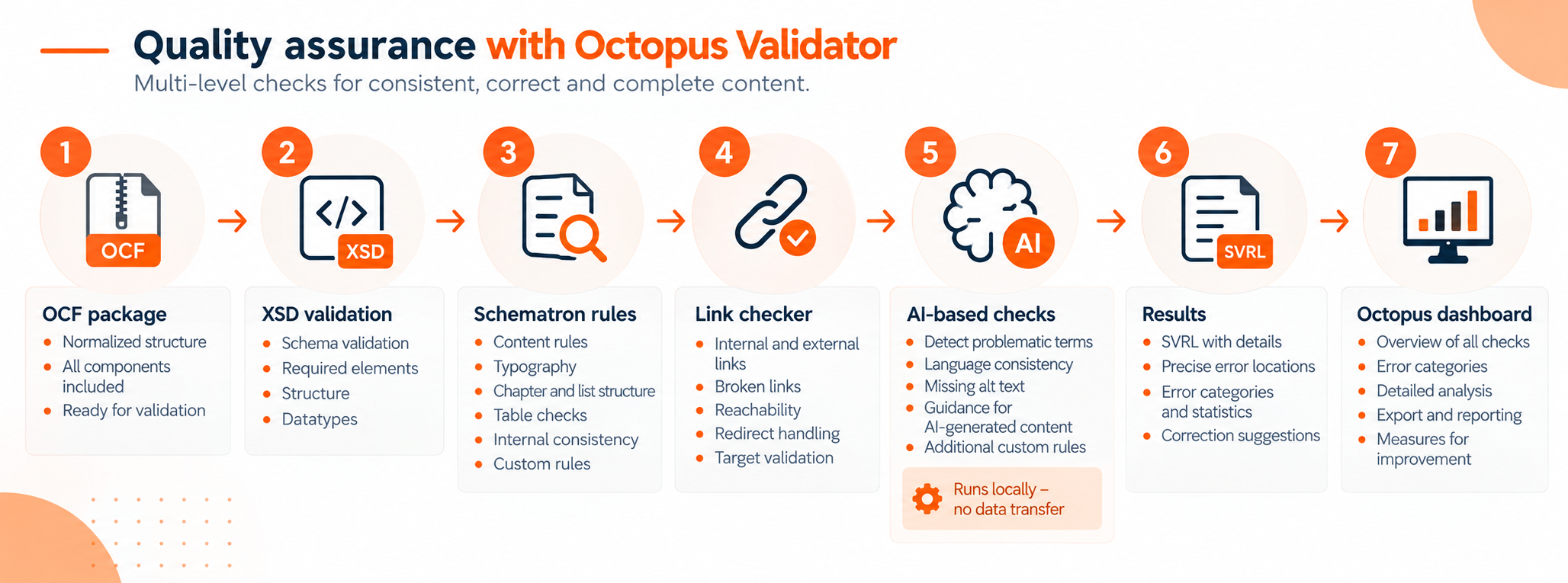
AI-based checks belong to this outlook. They do not replace deterministic validation. XSD, Schematron and link checking remain responsible for rules that can be decided exactly: required elements, datatypes, controlled values, valid references and complete package contents. AI checks are useful for questions that need semantic judgement, for example problematic terminology, language consistency, missing alternative text, plausibility of metadata, or guidance for AI-generated content.
These AI checks should also remain local, documented and reviewable. The result should not be an opaque pass/fail decision. It should become structured validation output with precise findings, categories and correction suggestions, so that editors can review the result in the same reporting workflow as XSD, Schematron and link checker findings.
The dashboard view below shows how such findings can be used in practice. The left side displays the publication content at the affected position. The right side lists validation messages with the error number, message text and source location. This layout is useful because the user does not have to switch between a report file and the document. The finding and the affected content stay visible together.
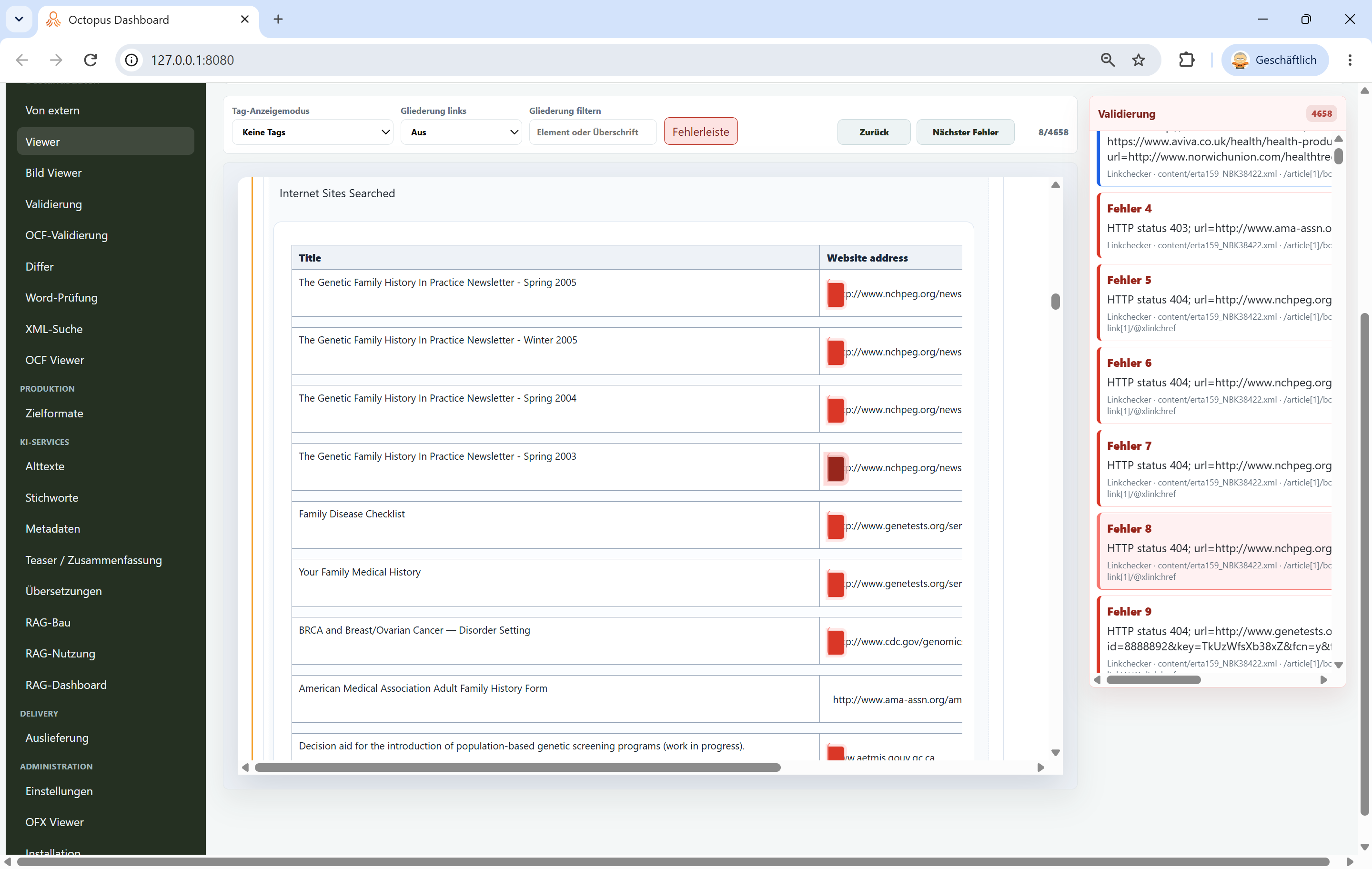
Further articles can therefore build on this migration article and explain the later validation layer in depth: how Schematron phases are organized, how link checking is integrated, how AI-based checks can be designed and evaluated, how SVRL and other reports are aggregated, and how an Octopus dashboard gives an overview across all publications.
The migration work described here remains the prerequisite. Without a curated target schema, normalized packages and reproducible transformation rules, later AI validation would only examine unstable data. The first task is to make the structure trustworthy; the next articles can show how to prove content quality at scale.